
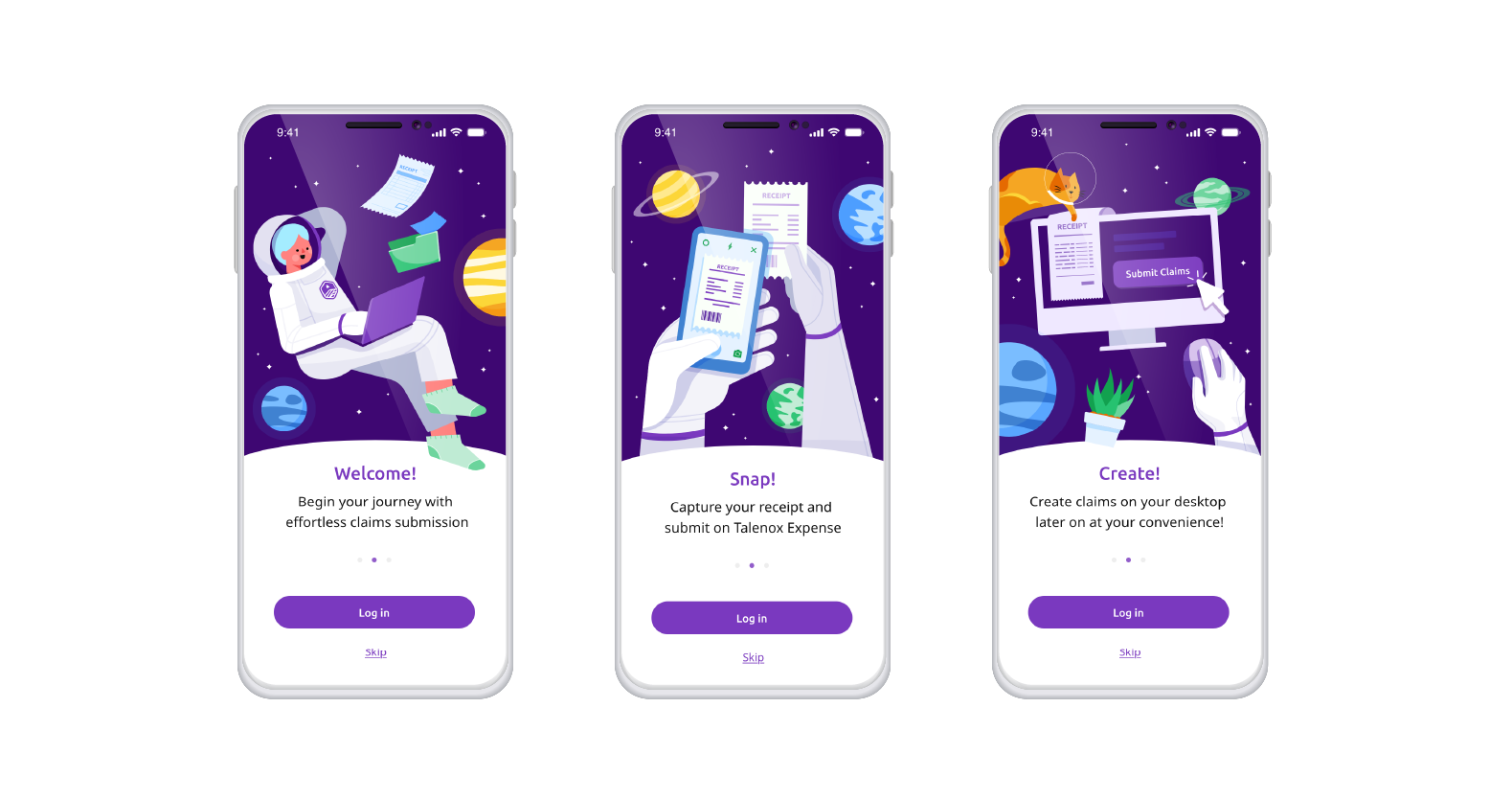
CLAIMS APP
Background:
Talenox is a cloud-based human resources software platform designed to simplify HR management for SME's. It offers core features such as payroll processing, leave management, and employee profile management and constantly build on innovative features. In 2024, Talenox Claims started conception and also entered beta phase.
Talenox is a cloud-based human resources software platform designed to simplify HR management for SME's. It offers core features such as payroll processing, leave management, and employee profile management and constantly build on innovative features. In 2024, Talenox Claims started conception and also entered beta phase.
Role:
User Research | Prototyping | User Testing | Workflow Improvement | UI Redesign | Brand designer
Objective/Problem:
This project involves designing a user-friendly claims web and mobile application that prioritises employee ease-of-use while supporting efficient claims management for businesses.
Outcome(compared to competitors):
Stakeholders estimated 20% reduction in admin handling time
Discover
User research:
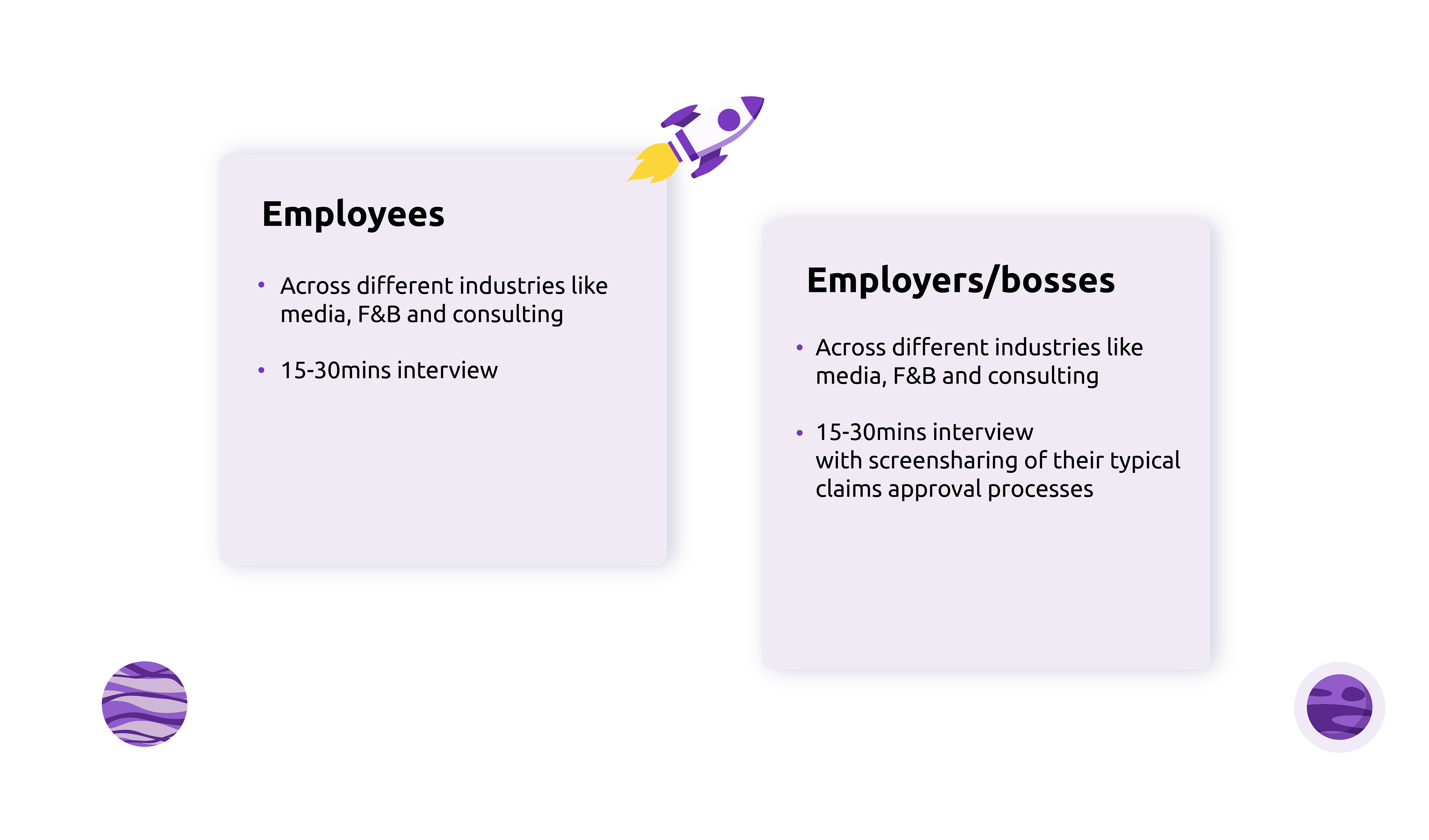
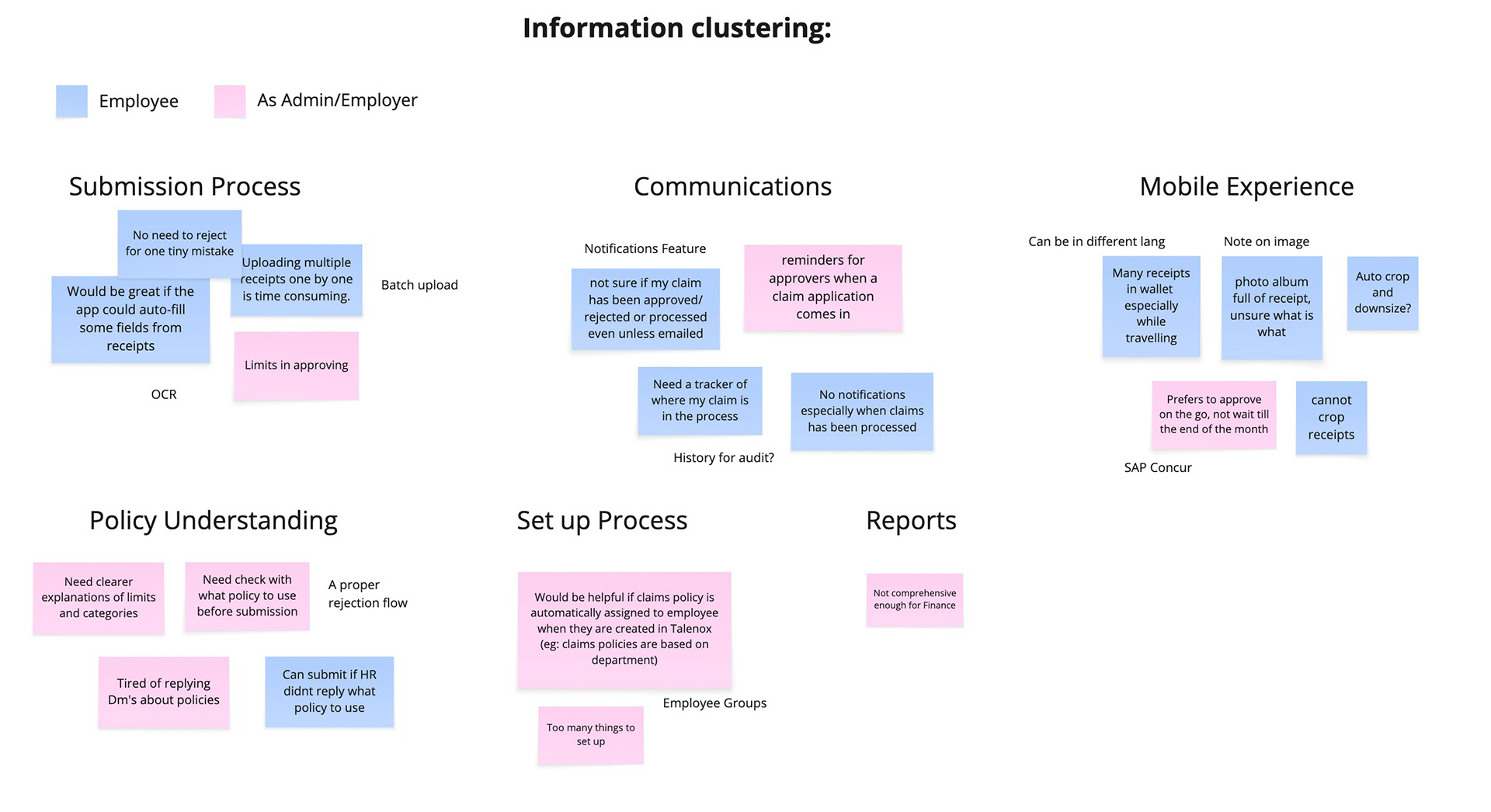
Over the years, we collected about 120+ requests for a claims feature. We reached out and conducted interviews with these HR professionals and business owners to understand pain points and requirements in processes of their existing claim systems.
User research:
Over the years, we collected about 120+ requests for a claims feature. We reached out and conducted interviews with these HR professionals and business owners to understand pain points and requirements in processes of their existing claim systems.
Taking an Employee first approach, we conducted research with two key user groups
- Employees to uncover their pain points in claims submission process (n=5)
- Finance Team/Bosses to identify what makes a smooth claim process and what is needed
This initial research helped us identify the core challenges and opportunities. (n=4)
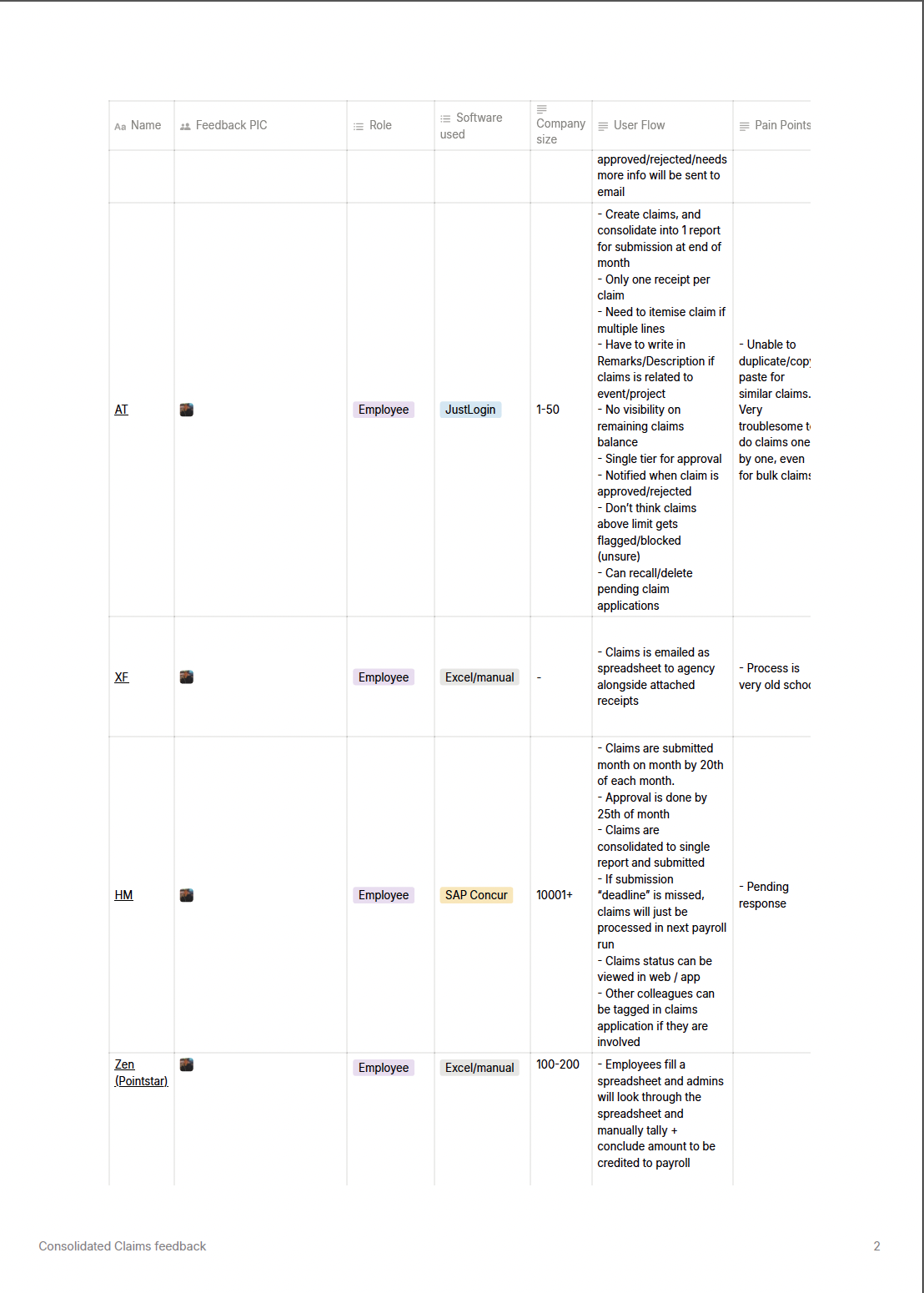
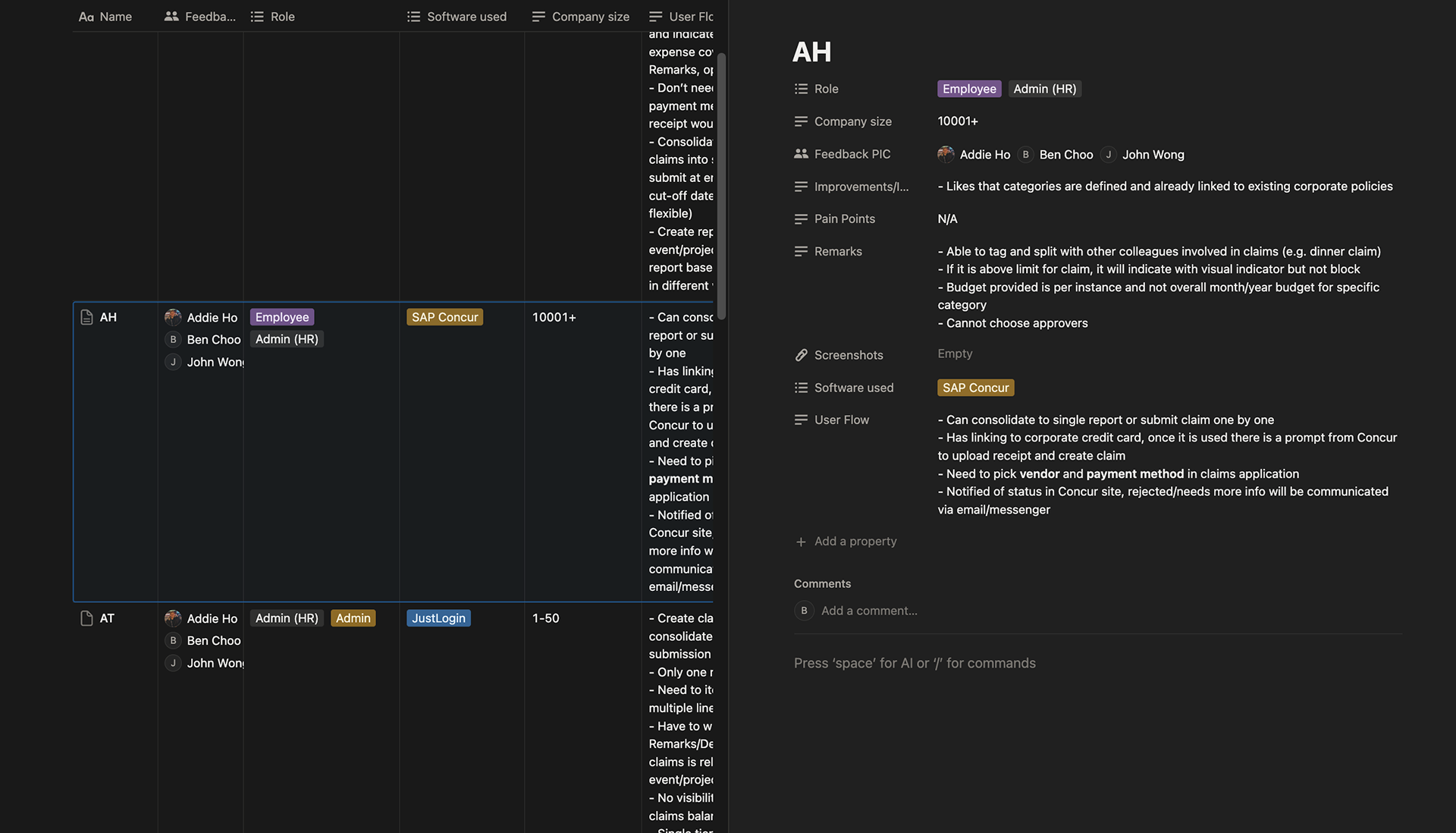
List of feedback from partners
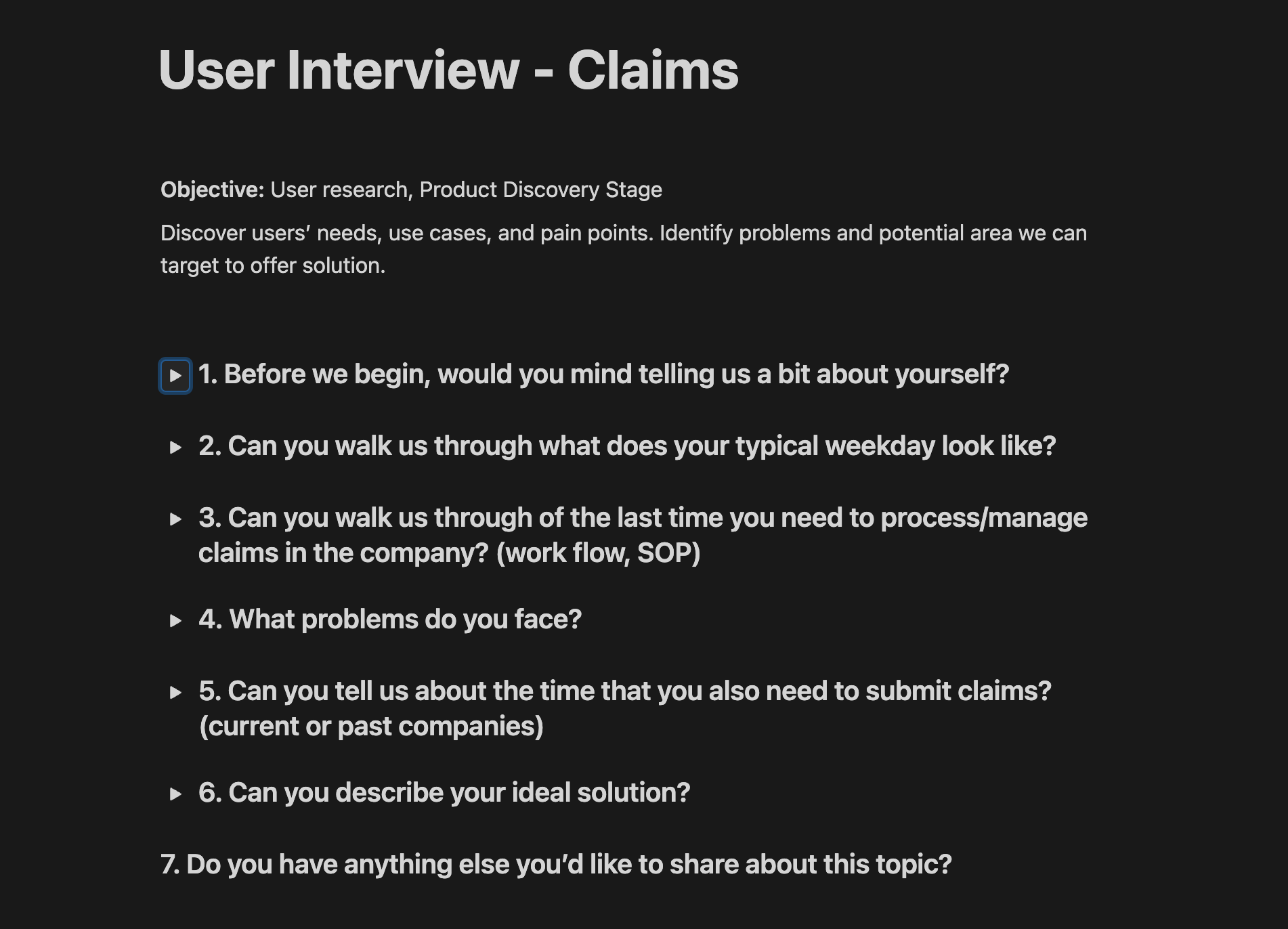
Interview questions
Competitor research / Processes:
We also analyzed 2–3 competitors and well-known apps with claims features, mapping out their submission steps and identifying potential pain points based on insights from the user interviews.
We also analyzed 2–3 competitors and well-known apps with claims features, mapping out their submission steps and identifying potential pain points based on insights from the user interviews.
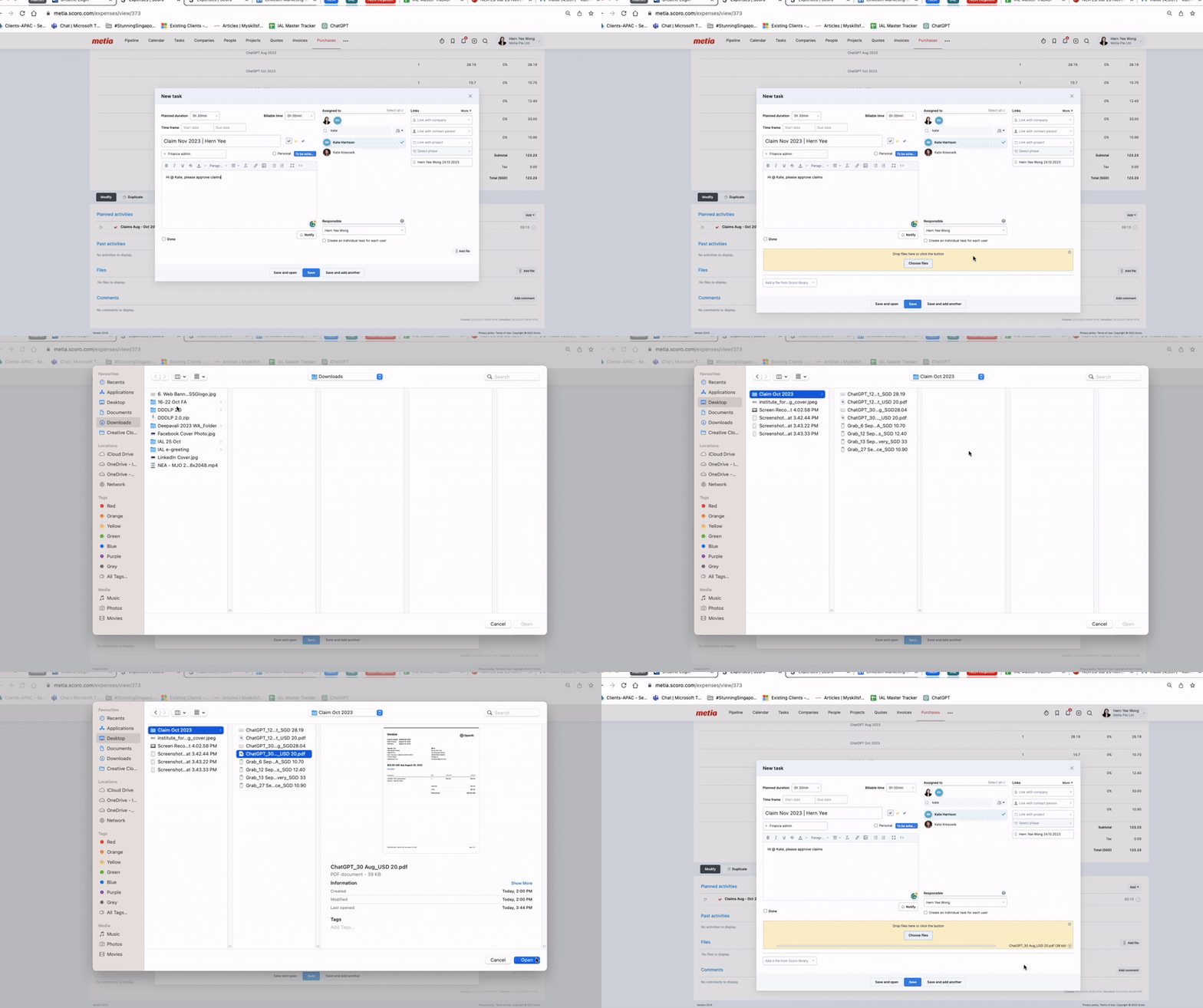
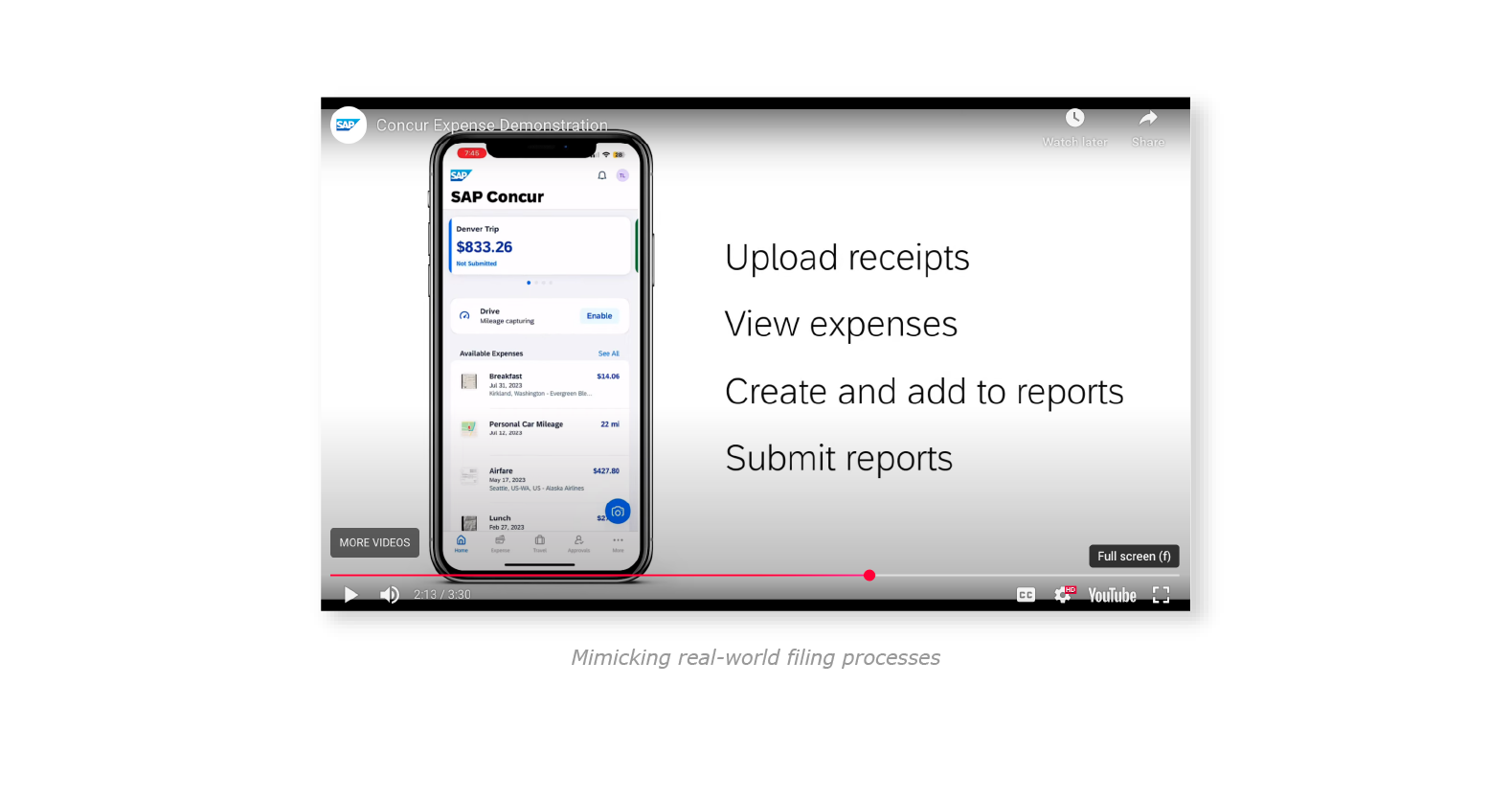
Typical submission process of an employee (Scoro)
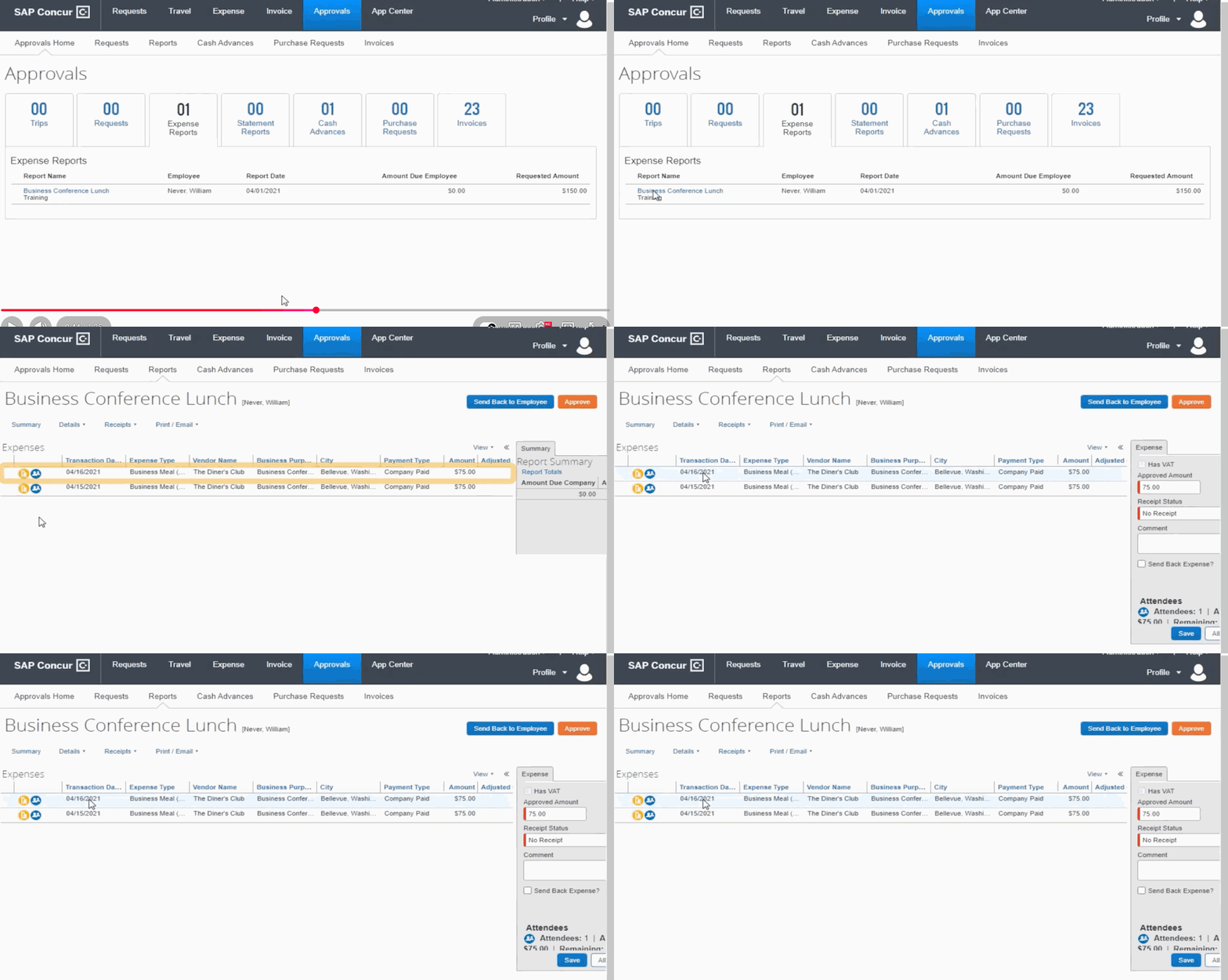
SAPconcur's Approval/Rejection process
Prioritising issues and solutions planning
Minimal Viable Product
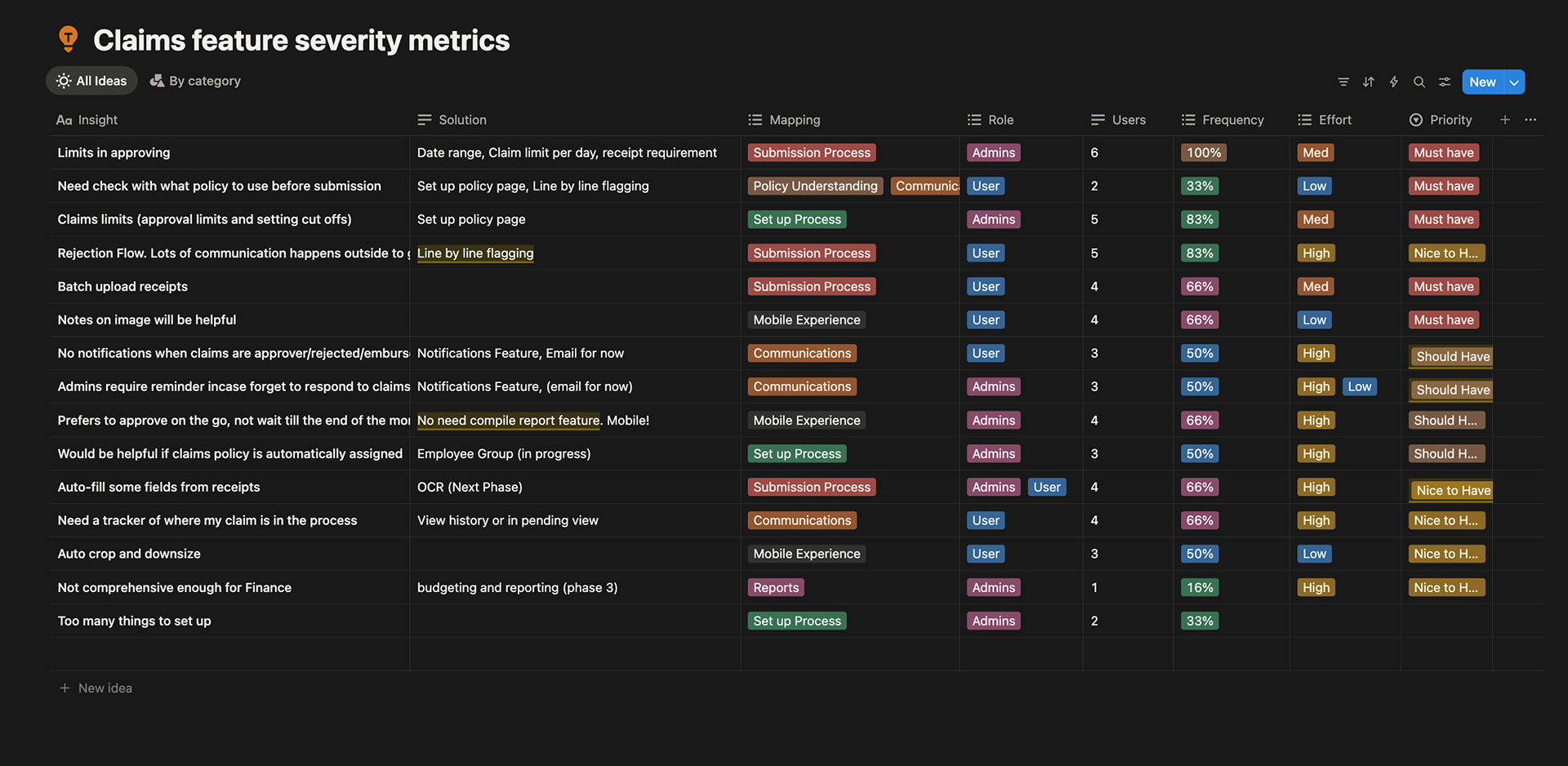
Together with Product managers and Engineers, we categorised these problems into their frequency and view of the key areas that required attention from a usability perspective. This approach helped inform the product roadmap and helped define the MVP
Together with Product managers and Engineers, we categorised these problems into their frequency and view of the key areas that required attention from a usability perspective. This approach helped inform the product roadmap and helped define the MVP
Define
Defining the Problem/Challenges:
Employees wanted a simpler, and mobile-friendly way to submit claims without having to store physical receipts especially when overseas. Rejection flow can be made smoother too without holding up payments. Admins/Employers wants clearer visibility into approval progress.
Defining the Problem/Challenges:
Employees wanted a simpler, and mobile-friendly way to submit claims without having to store physical receipts especially when overseas. Rejection flow can be made smoother too without holding up payments. Admins/Employers wants clearer visibility into approval progress.
1. Receipts Management – Employees find it tedious and forget to submit their many receipts
2. Streamlining the claims - Admins and employees wants processes to ensure faster submissions and quicker reimbursements.
3. Delayed approvals due to communications – A lack of a clear communication process creates bottlenecks in the approval workflow, leading to unnecessary delays in reimbursement
Develop: Wireframing the solution
Based on the above problems identified, we worked towards addressing these pains by coming up with potential solutions and started some usability and Proof of Value testing.
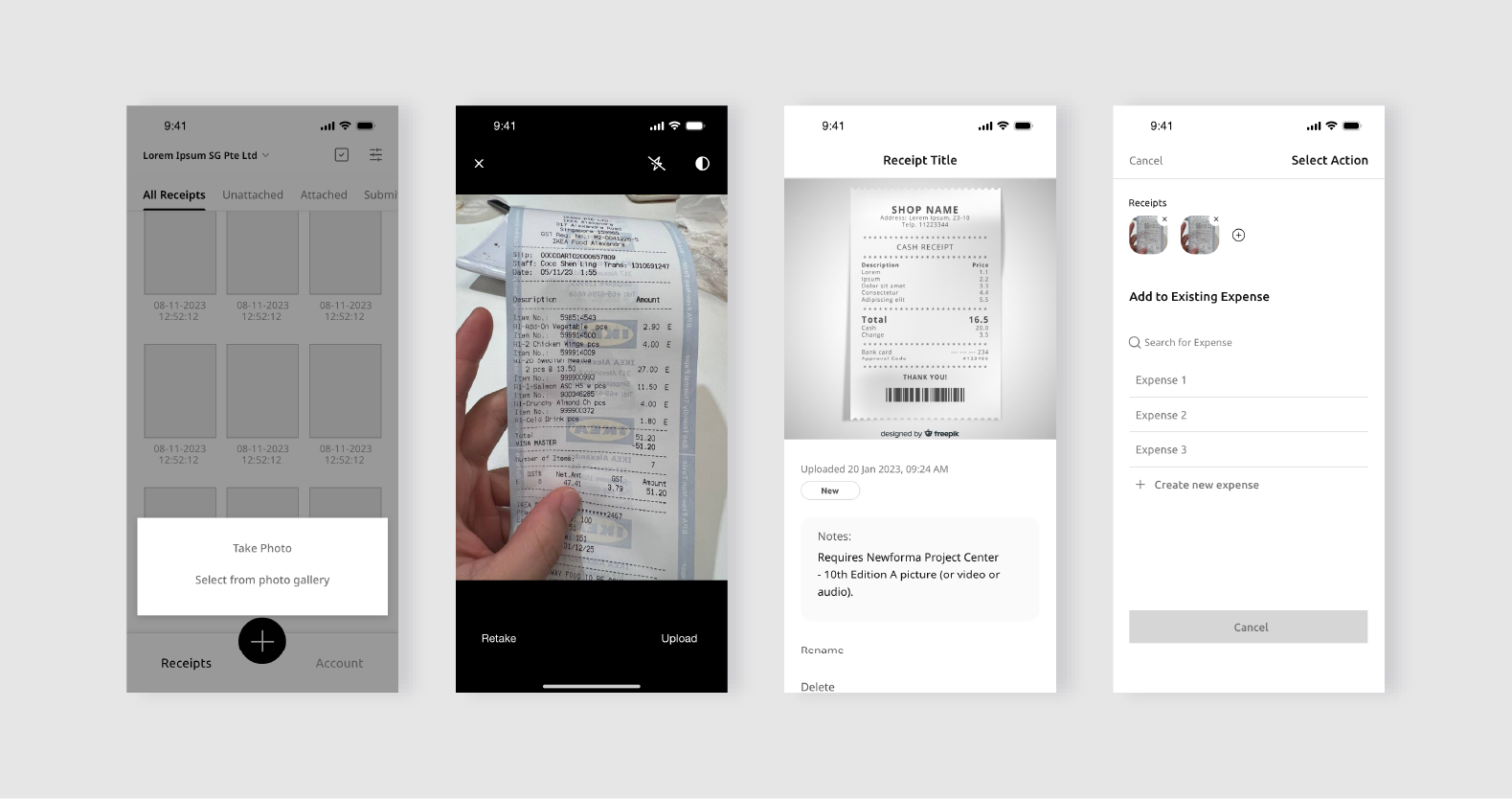
Employee mobile experience for claims submission wireframe
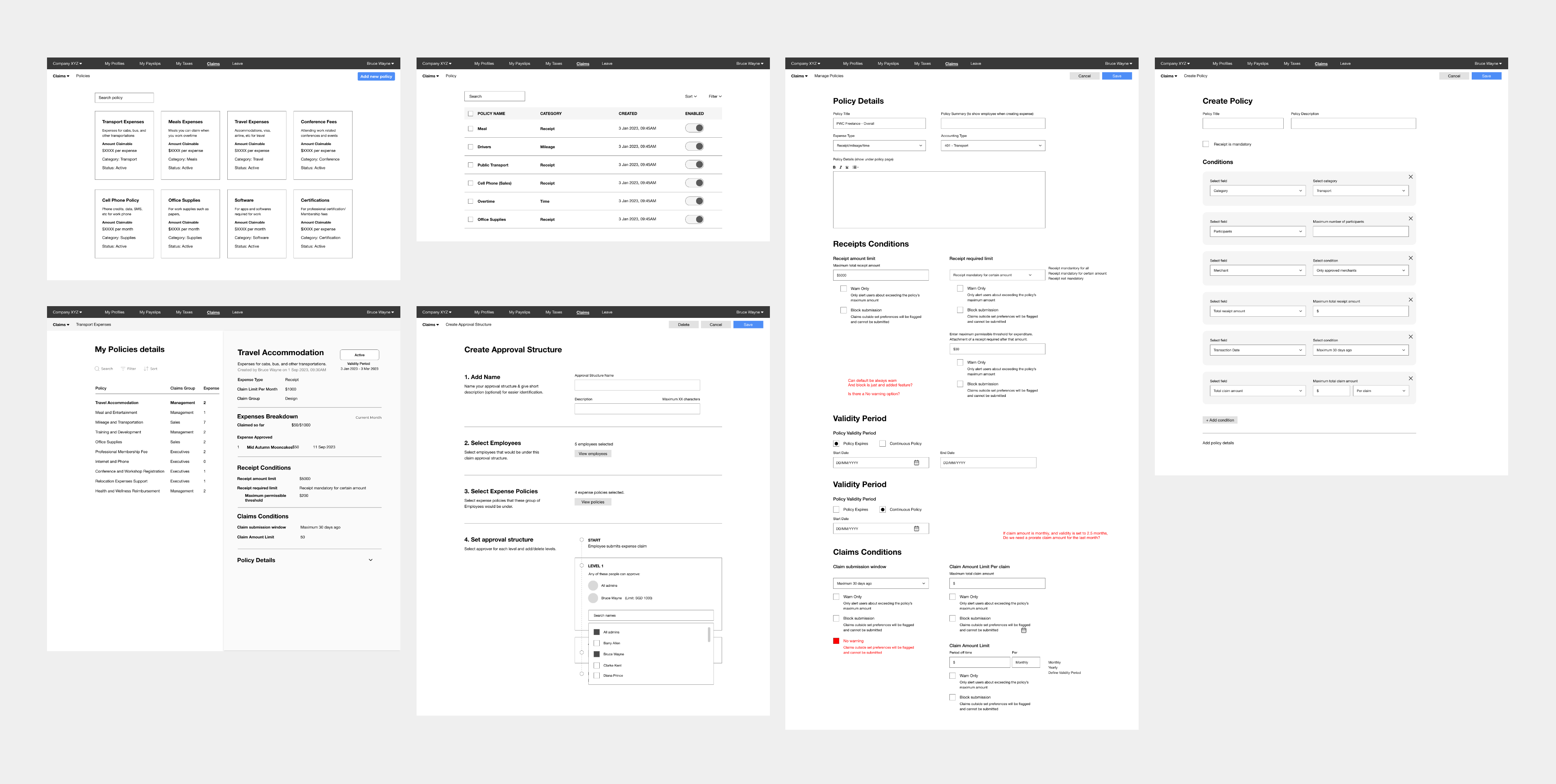
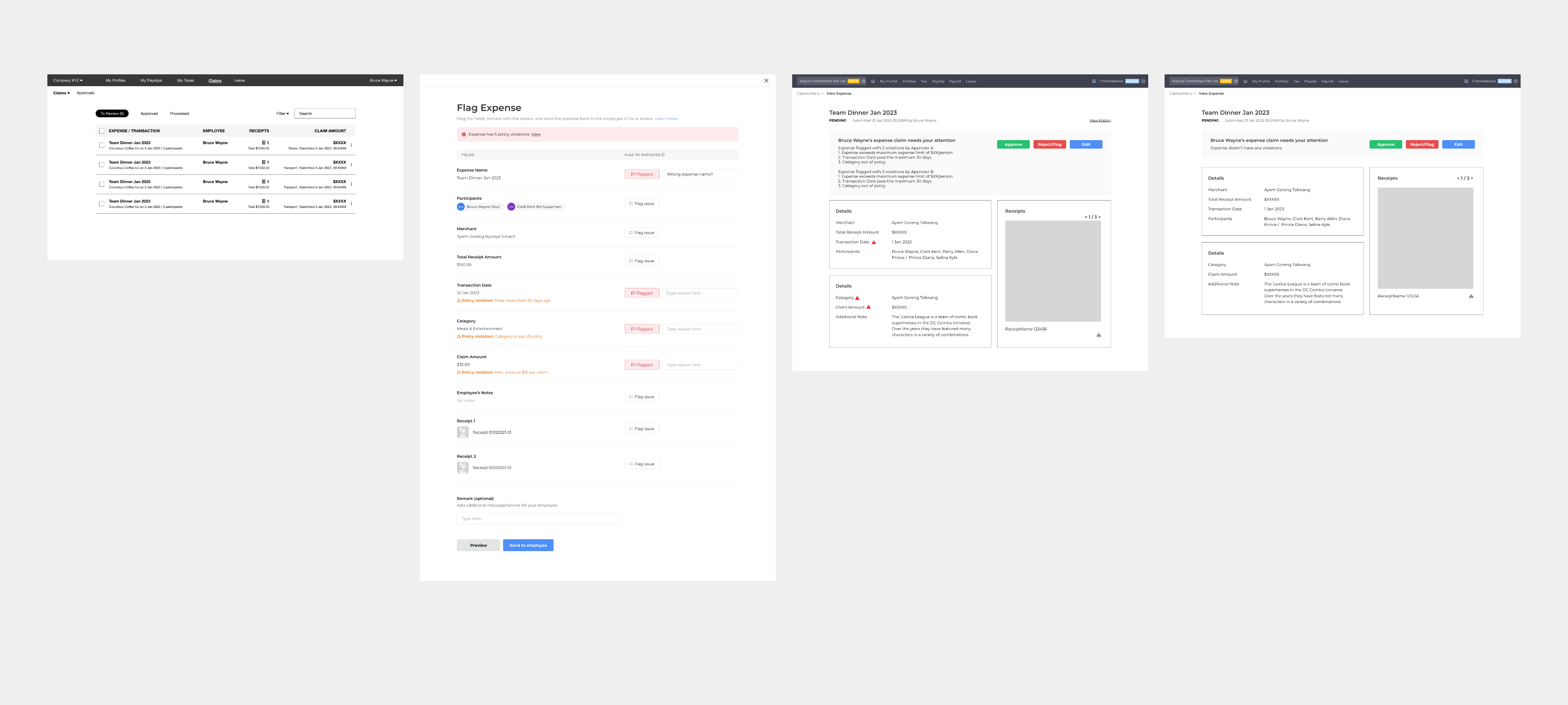
Admin actions: Managing the entire claims process from policy creation to approval/rejection and communications
Deliver
1. Receipts Management (Employee Flow)
Typically, users submit claim by collecting and organising physical receipts throughout the month, often storing them in wallets or relying on memory for e-receipts. Overseas expenses usually require manual note-taking especially when receipts are not in their language, adding to the hassle.
This mainly affects the employee experience. Our immediate solution for the beta release is a mobile app that enables quick note taking, receipt storing and submissions. Admins can create expense claims on behalf of employee's receipts submission too.
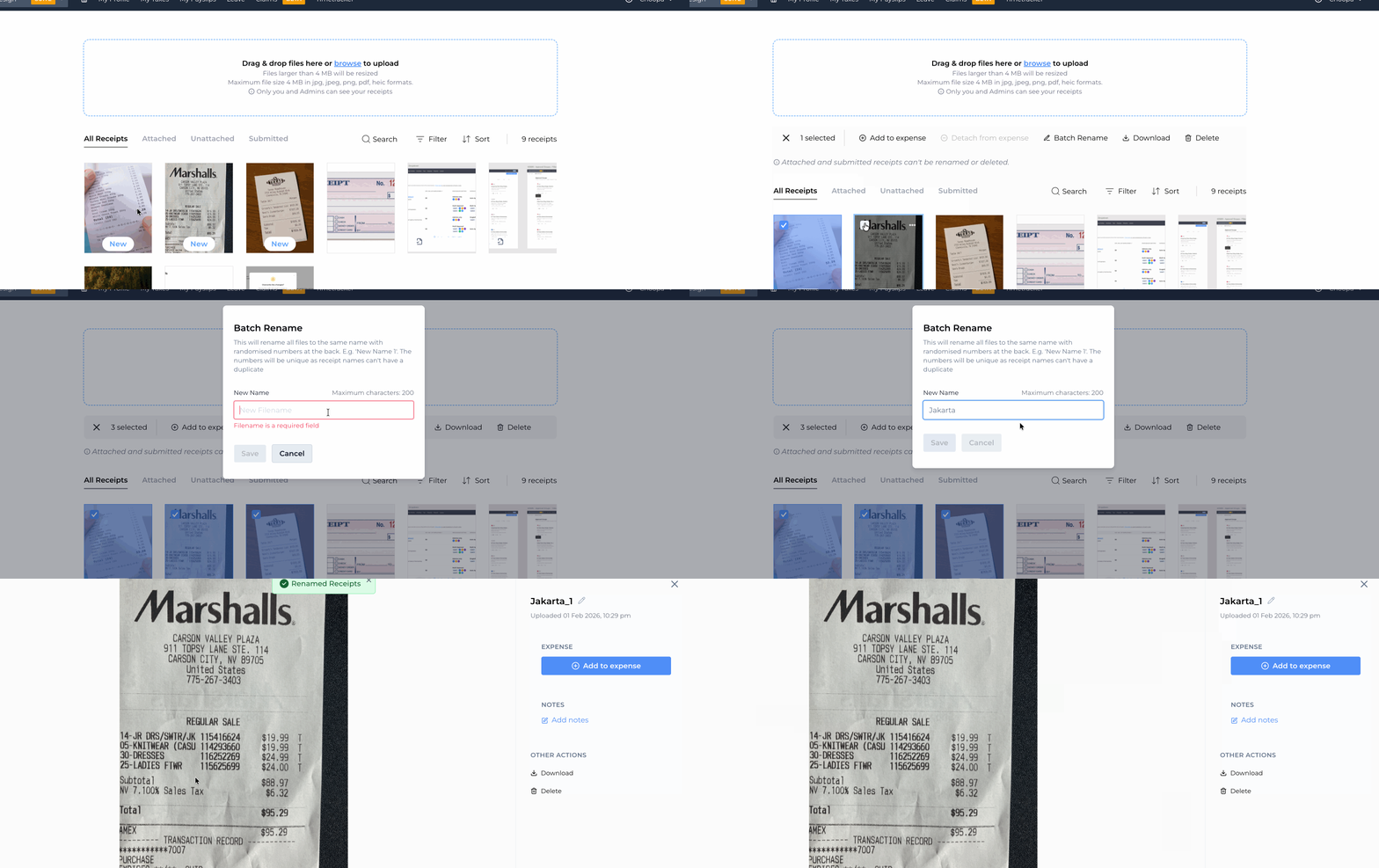
Uploading by batch and bulk renaming make it easy to organise receipts for future reference.
Uploading by batch and bulk renaming make it easy to organise receipts for future reference.
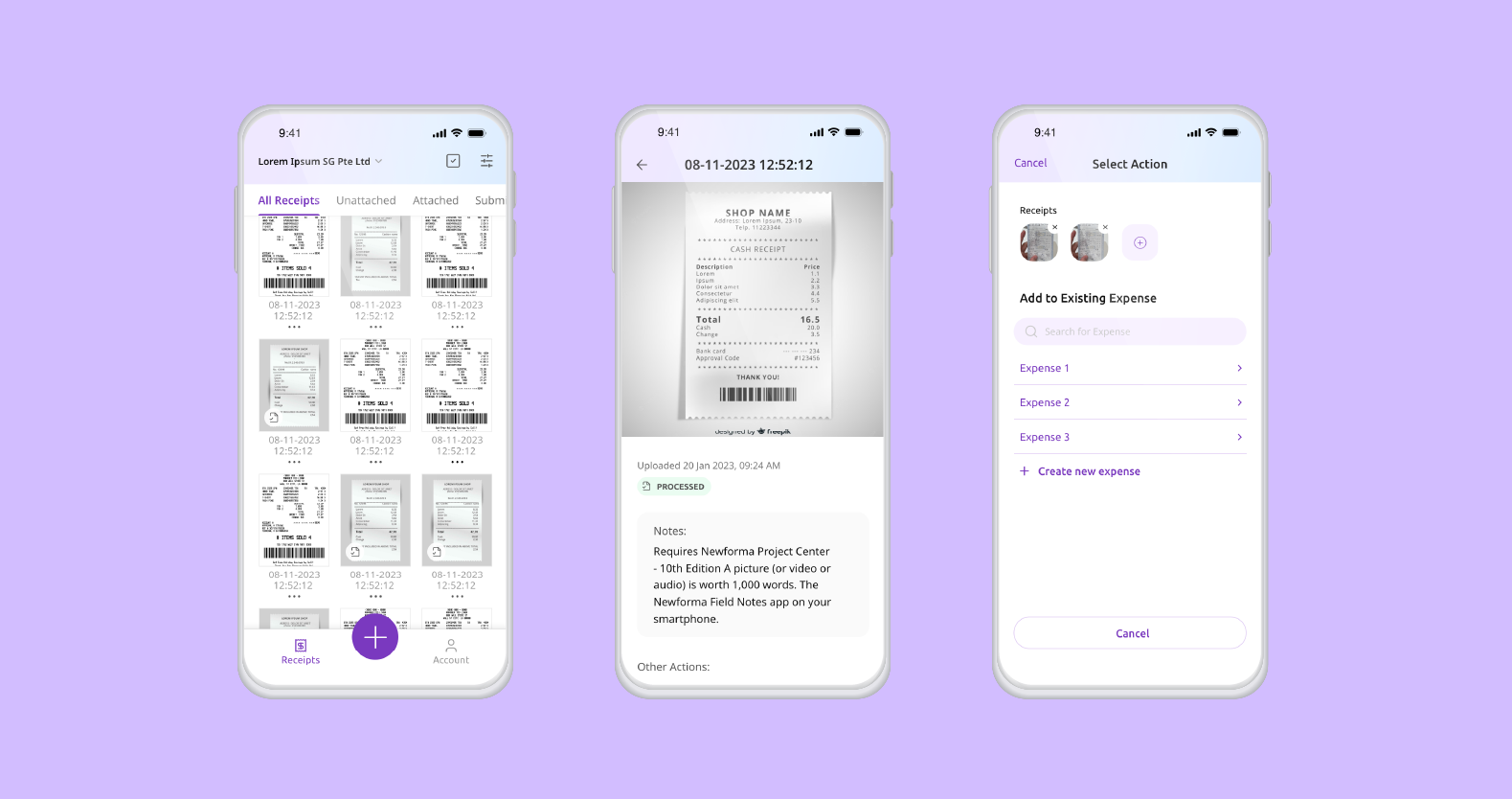
The hi-fi mobile app where employees can quickly snap, note, and upload receipts or log an expense instantly.
2. Streamlining Processes (Admin/ Employee Flow)
Many claim software mimic real-life workflows, saving and then filing claims for monthly submission in a compiled folder. But this often leads to dead ends. Forgotten claims are then delayed to the next month not ideal to some users with larger expenses who may need quicker payouts.
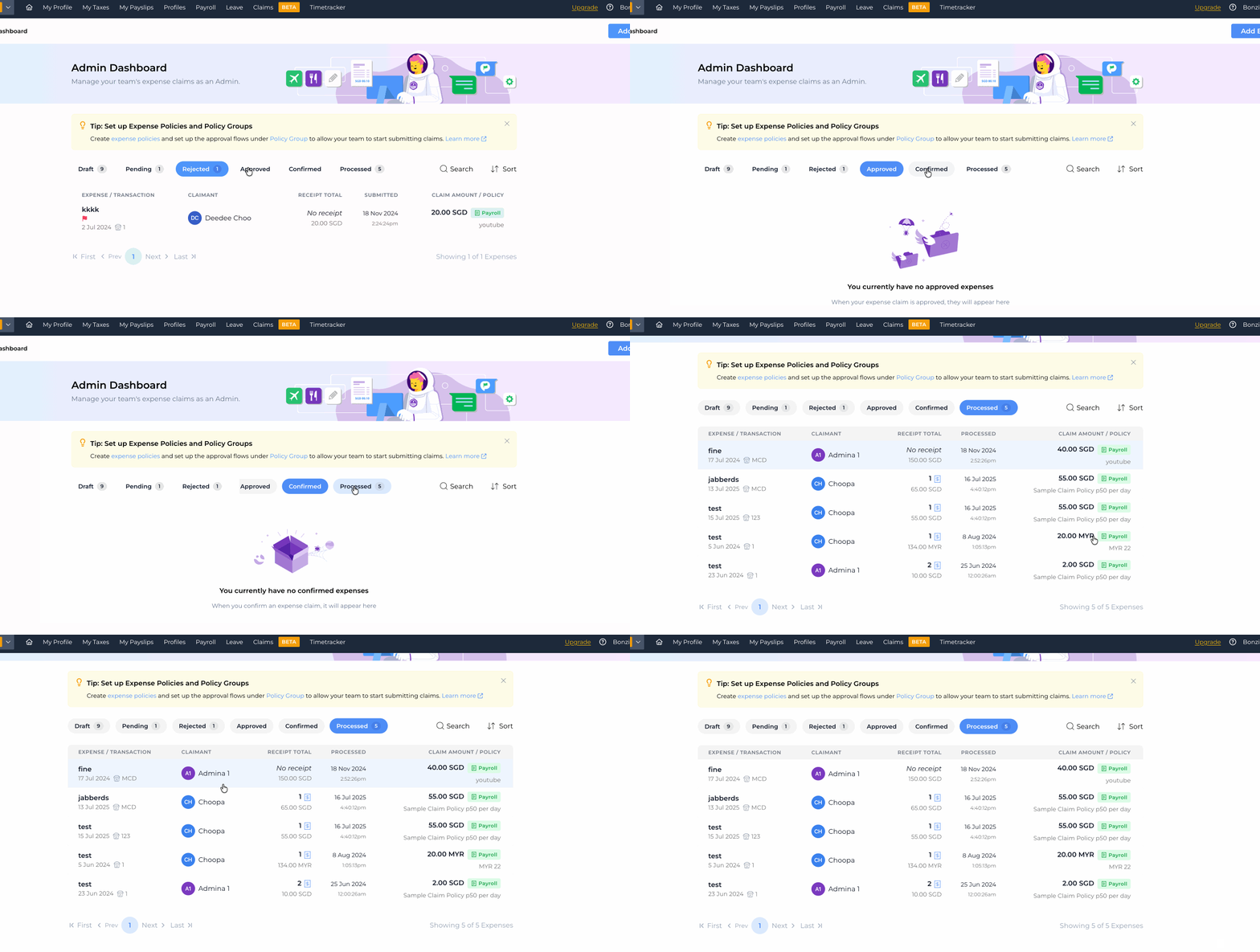
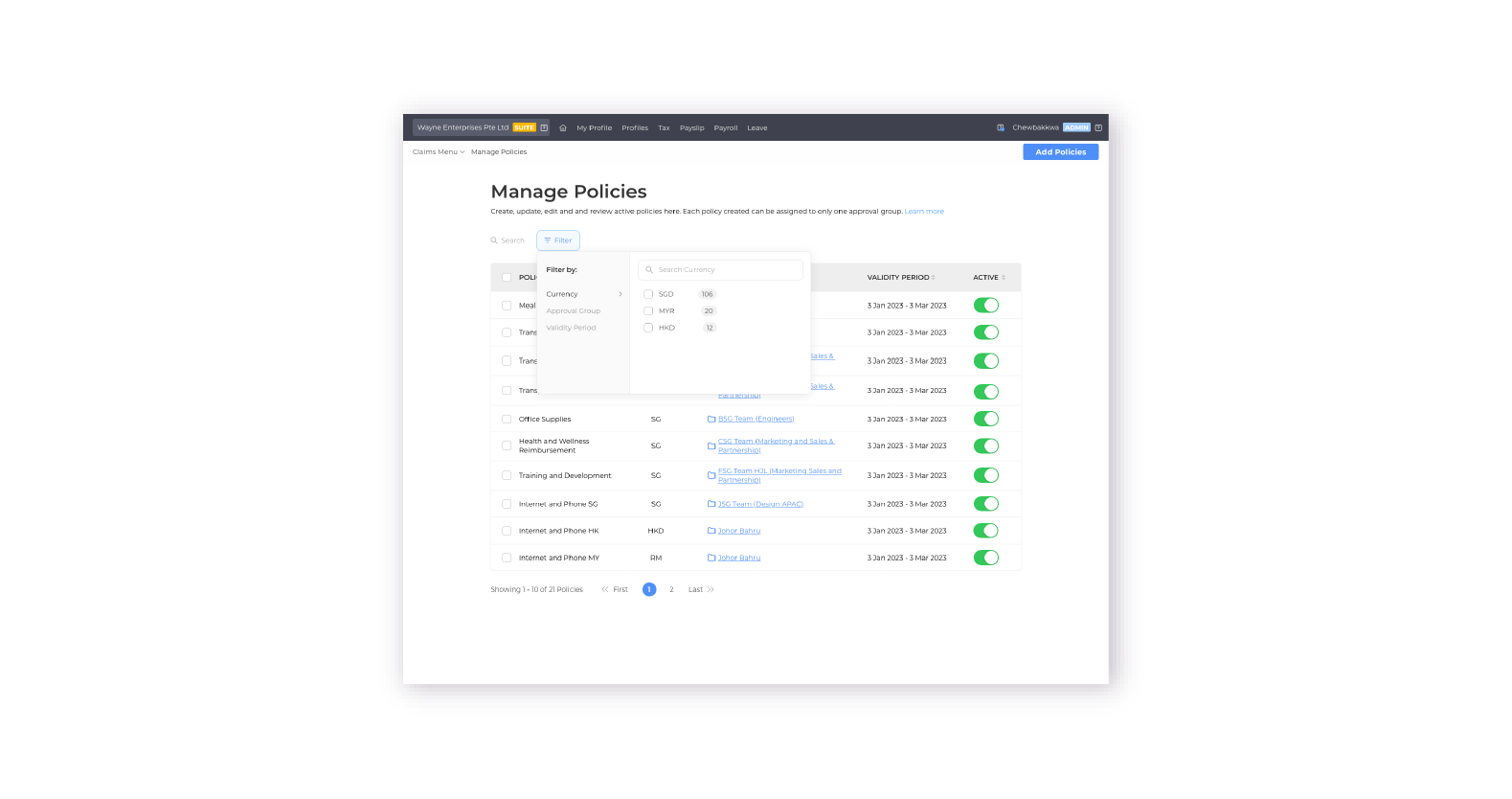
To solve this, we moved away from real-world filing processes. Instead, we introduced clear, organized tabs in the admin dashboard for better tracking and flexibility, along with policy settings to support various payout types. The compilation of claims now happens throughout each month, removing an extra manual step from the workflow.
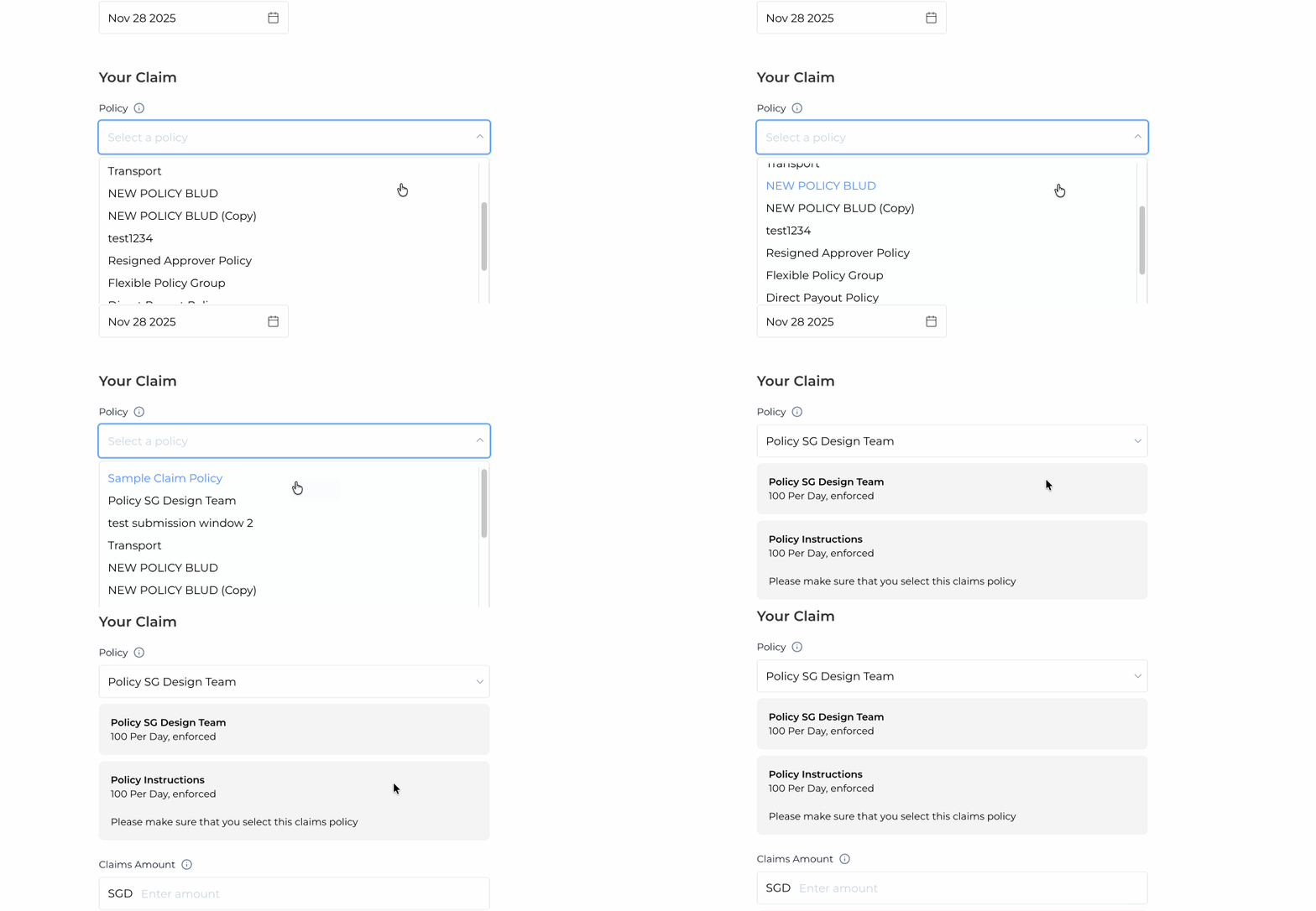
Another piece of feedback we received is that employees sometimes delay submitting claims because they’re unsure which claim policy applies and need to check with the admin team first. By design a policy creation system, it allows setting up clear and well-defined policies, the system can narrow down the relevant options in advance.
3. Delayed Approvals (Admin/ Employee Flow)
Many employee find the process of communicating discrepancies and mistakes to each other, over email or in person a chore, further delaying the claim procedure.
To address this, we introduced an in-app communication feature that allows employees to flag specific fields directly within the claim. Additionally, the way policies are set up enables soft warnings, guiding employees to correct potential errors before submission.
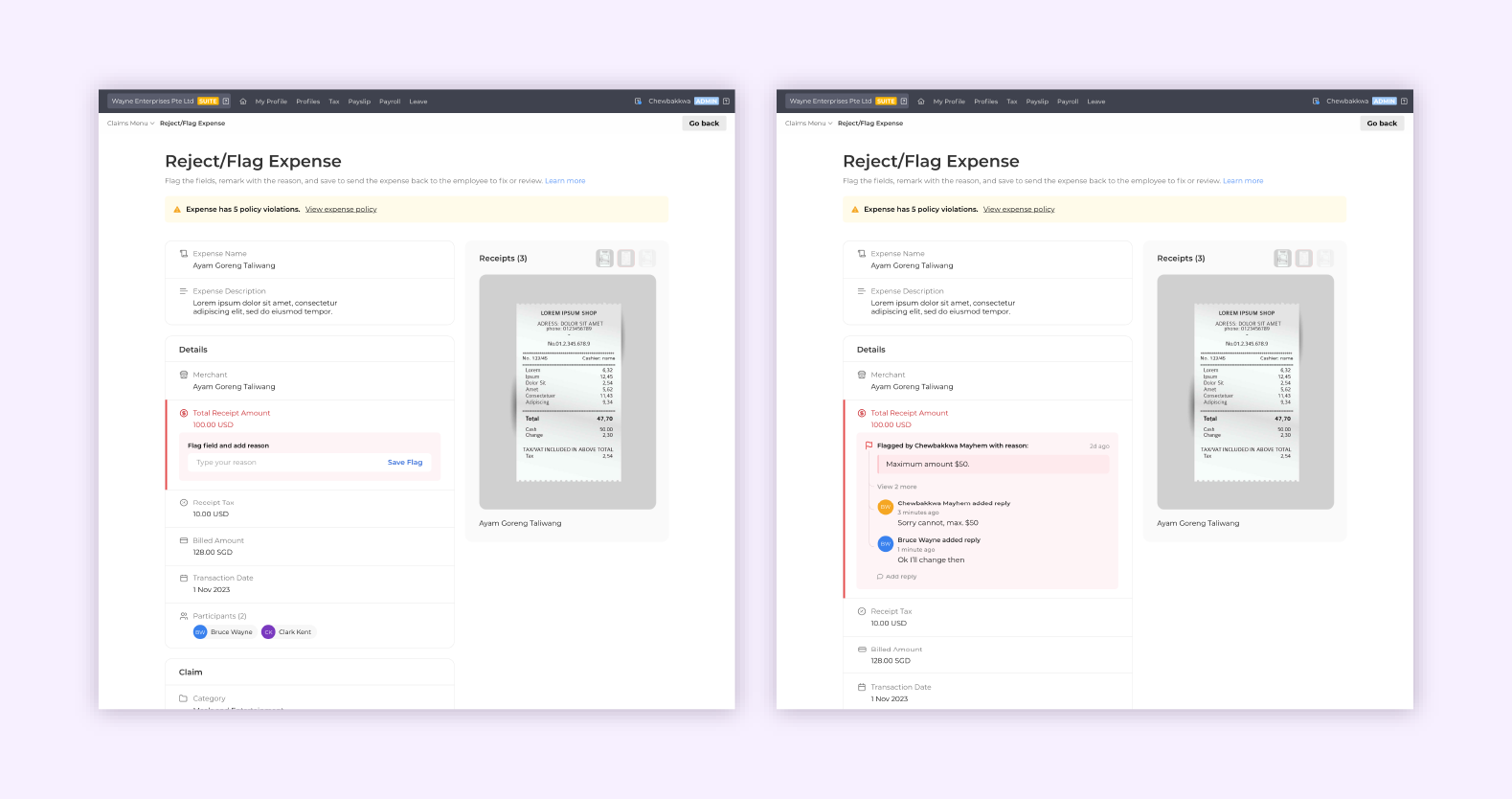
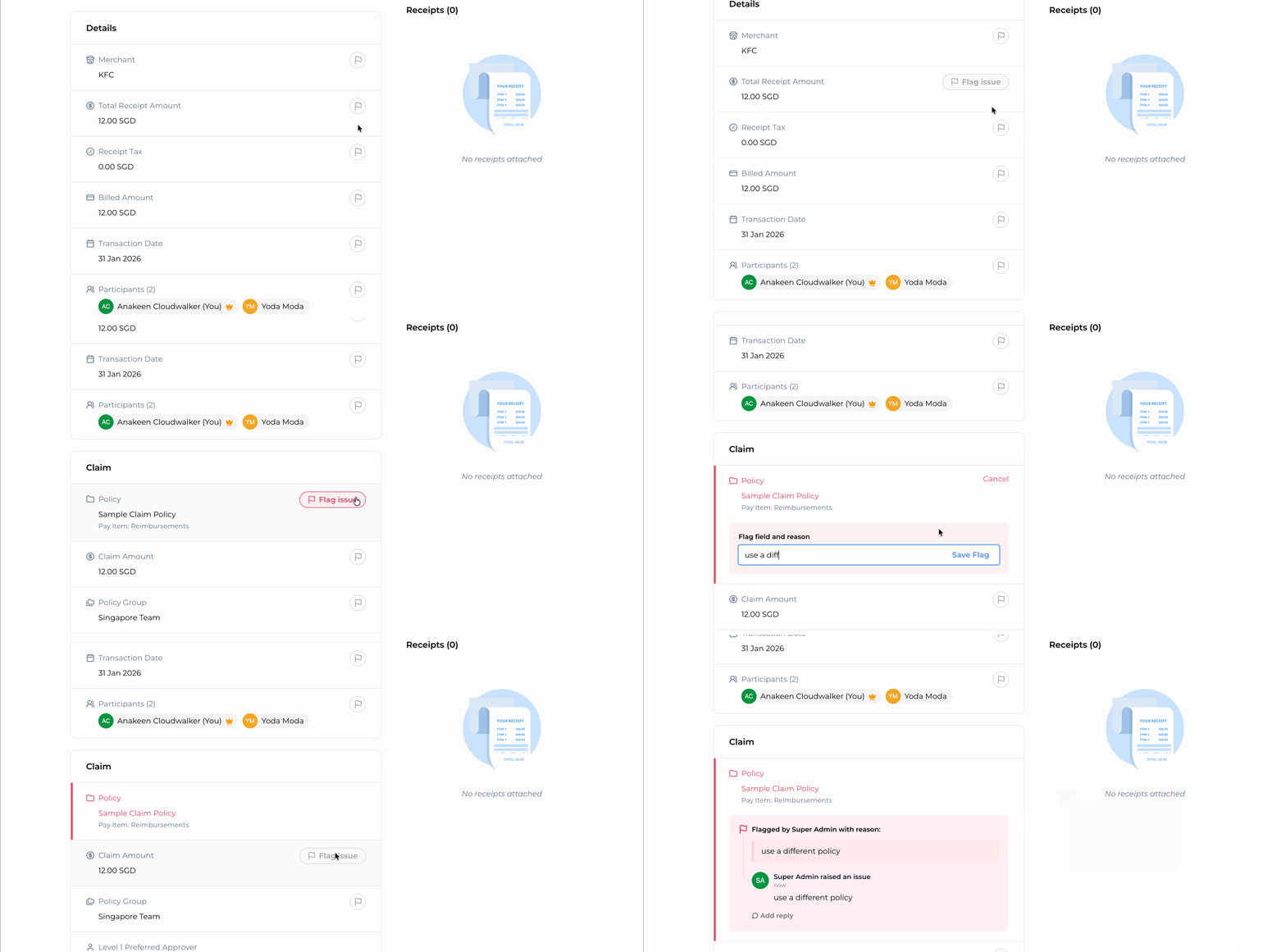
In line flagging allows clearer communications for rejection flow
Final Solution
Mobile:
Creation of expenses
Receipts management
Website(includes:)
Policy Management
Approval Groups Creation
Approve/Rejection flow
Claims Reports exported into excel
Plans for the future
Mobile App - Receipts storing and expense creation on the fly
OCR - Ease of filling form and fraud detection
Notifications - Updated tasks and actions
Budgeting - Deeper insights
Mobile:
Creation of expenses
Receipts management
Website(includes:)
Policy Management
Approval Groups Creation
Approve/Rejection flow
Claims Reports exported into excel
Plans for the future
Mobile App - Receipts storing and expense creation on the fly
OCR - Ease of filling form and fraud detection
Notifications - Updated tasks and actions
Budgeting - Deeper insights
Constant Improvements
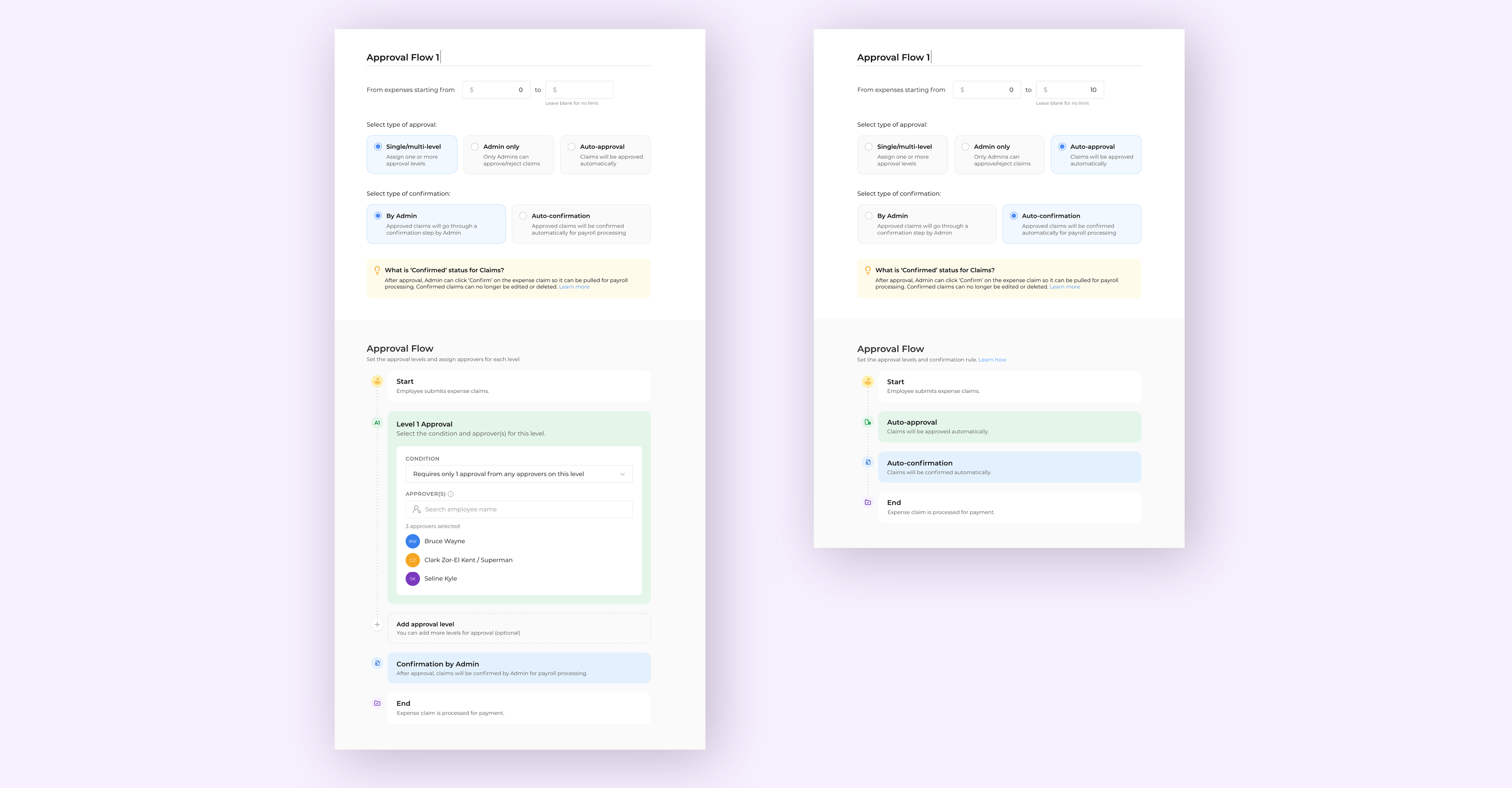
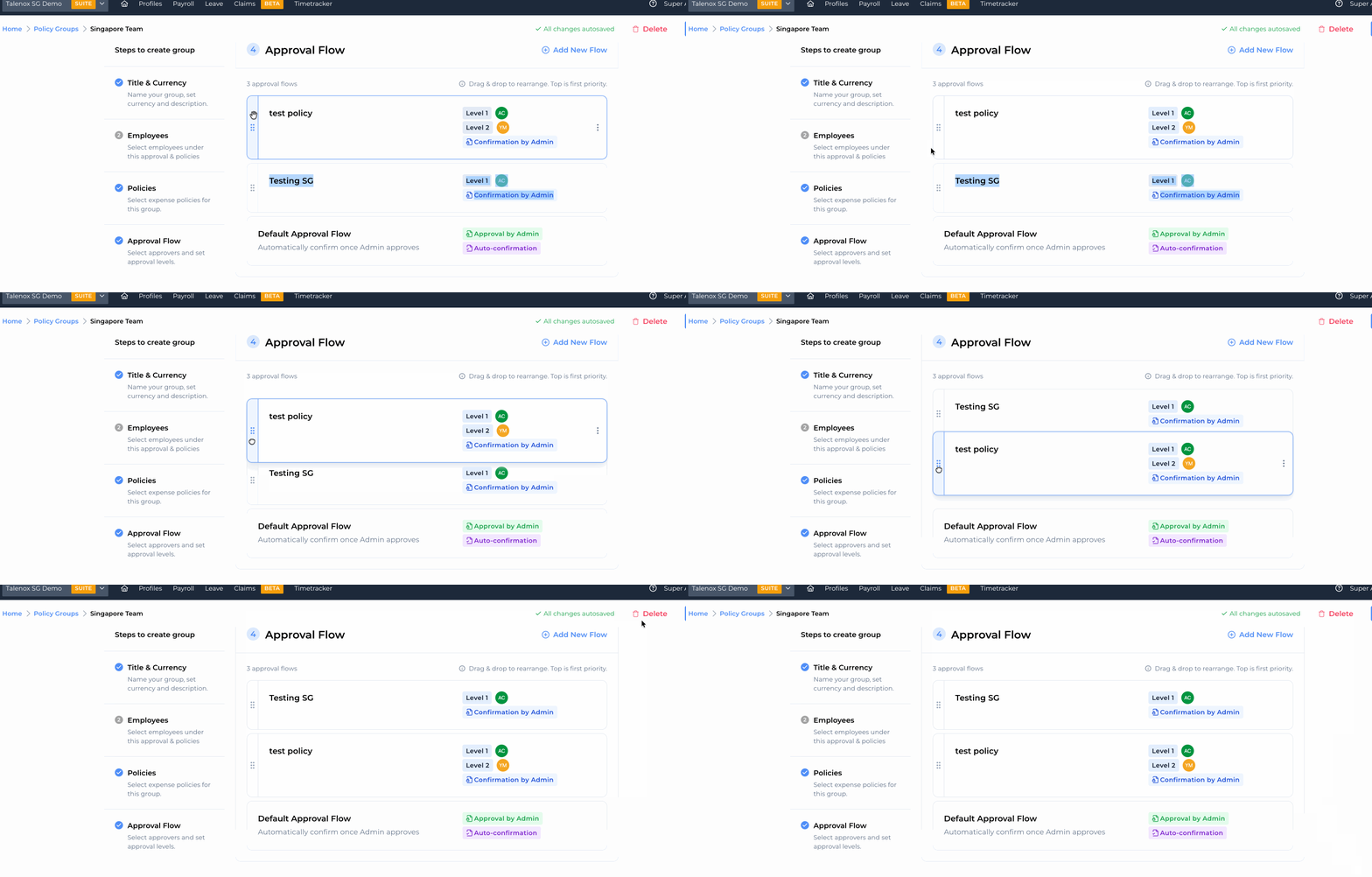
Following launch, the product went through several iterations based on user feedback. One key update was the introduction of approval groups, allowing employees from different departments to be routed to different approvers, with configurable approval limits set at each approval level.
Reflections and Outcome:
Early collaboration
This project emphasized not just the importance of user feedback but also the value of engineers' input on technical limitations. It reinforced how crucial collaboration is between design and development to create an effective solution.
This project emphasized not just the importance of user feedback but also the value of engineers' input on technical limitations. It reinforced how crucial collaboration is between design and development to create an effective solution.
Volume ≠ Severity
In severity metrics, how often an issue occurs (volume) is not the same as how damaging the issue is. It is important to flag these out and weigh their consequences
In severity metrics, how often an issue occurs (volume) is not the same as how damaging the issue is. It is important to flag these out and weigh their consequences